vRA Cloud Sync Blueprint Versions to Github

The current implementation of vRealize Automation Cloud and Git integration for Blueprint is read only. Meaning you download the new Blueprint version into a local repo the push it. After a few minutes vRA Cloud will see the new version and update the design page. It’s really a pain if you know what I mean.

What I really wanted was to automatically push the new or updated Blueprint when a new version is created.

The following details one potential solution using vRA Cloud ABX actions in a flow on Lambda.

The flow consists of three parts.

  1. Retrieve a vRA Cloud refresh token from an AWS Systems Manager Parameter, then get a refresh token (get_bearer_token_AWS). It returns the bearer token as ‘bearer_token’.
  2. Get Blueprint Version Content. This uses ‘bearer_token’ to get the new Blueprint Version payload and return it as ‘bp_version_content’.
  3. Then Add or Update Blueprint on Github. This action converts the ‘bp_version_content’ from JSON into YAML. It also adds or updates the two required properties, ‘name’ and ‘version’. Both values come from the content retrieved from step two. It also clones the repo, checks to see if the blueprint exists. Then it either creates a Blueprint folder with blueprint.yaml, or updates an existing blueprint.yaml.

The vRA Cloud Refresh Token and Github API key are stored in an AWS SSM Parameter. Please take a look at one of my previous articles on how to set this up.

‘get_bearer_token_AWS’ has two inputs. region_name is the AWS region, and refreshToken is the SSM Parameter containing the vRA Cloud refresh token.

Action 2 (Blueprint Version Content) uses the bearer token returned by Action 1 to get the blueprint version content.

The final action, consumes the blueprint content returned by action 2. It has three inputs, githubRepo is the repo configured in your github project, githubToken is the SSM Parameter holding the Github key, and finally region_name is the AWS region where the Parameter is configured.

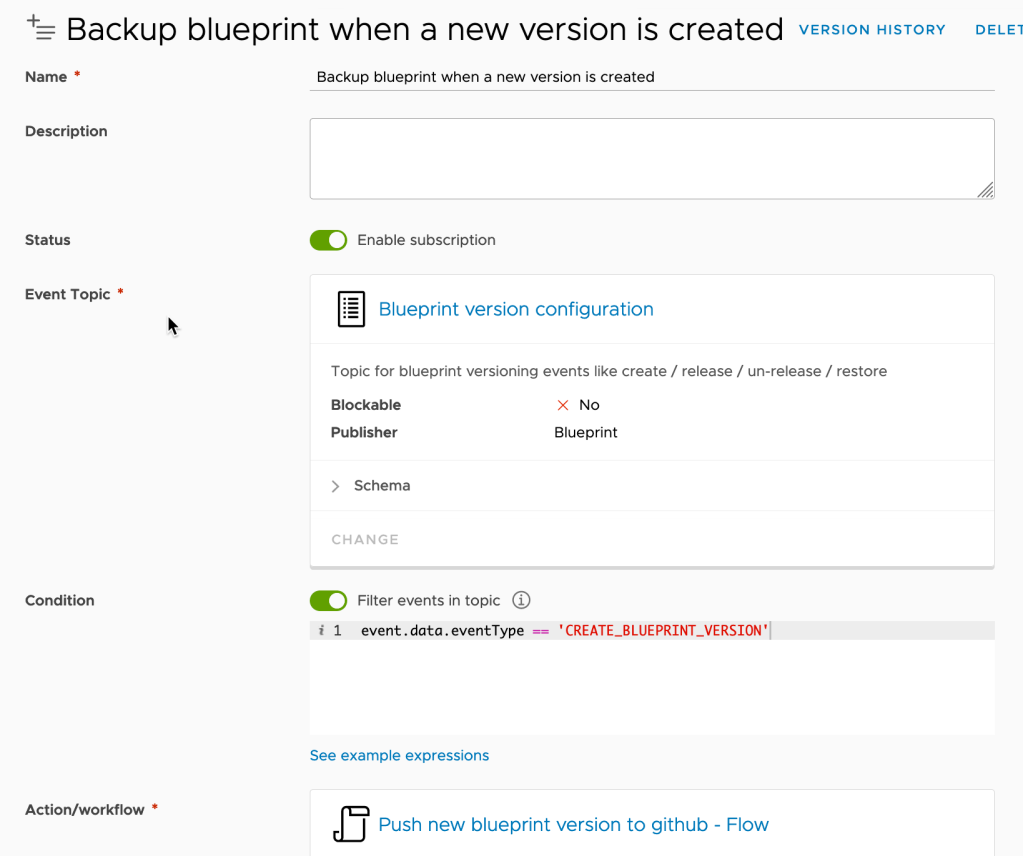
Create a new Blueprint version configuration subscription, using the flow as the target action, and filtering the event to “‘event.data.eventType == ‘CREATE_BLUEPRINT_VERSION'”.
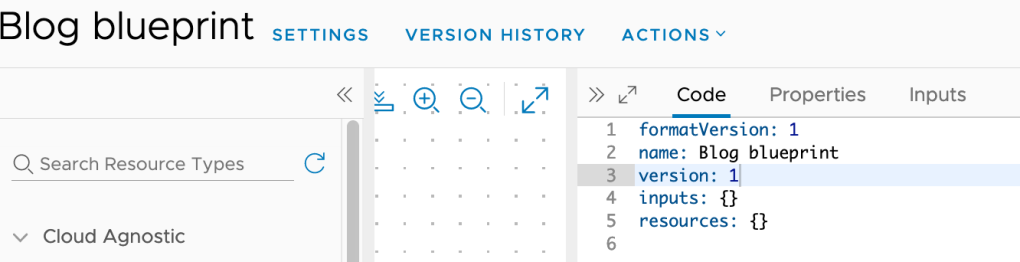
Now to test the solution. Here I have a very basic blueprint. Make sure you add the name and version properties. The name value should match the actual blueprint name. Now create a new Version. Then wait until Github does another inventory.
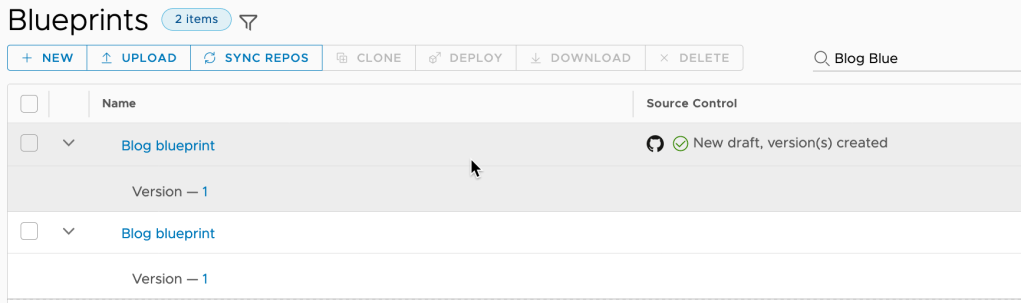
You may notice the versioned Blueprint will show up a second time, now being managed by Github. I think vRA Cloud is adding the discovered blueprints on Github with a new Blueprint ID. The fix is pretty easy, just delete the original blueprint after making sure the imported one still works.
The flow bundle containing all of the actions is available in this repository.

Spas Kaloferov recently posted a similar solution for gitlab. Here is the link to his blog.
Using AWS SSM Parameters with vRA Cloud ABX actions

One common integration use case is to securely store passwords and tokens. In this article I’ll show you how to recover and decrypt an AWS Systems Manager (SSM) Parameter (vRAC Cloud Refresh Token), make a vRA Cloud API call to claim a bearer token, and finally return the deployment name from a second vRA Cloud API call.

I’m not going to discuss how to get the API Token. Detailed instructions are available in this VMware Blog.

I’ll store this token in an AWS SSM Parameter called VRAC_REFRESH_TOKEN as a secure string. Again this is really beyond the scope of this article. Please refer to AWS Systems Manager Parameter Store page for more information.

The following action will need access to this new Parameter. Here I’m creating a new role named blog-ssm-sample-role. I used an inline policy to allow access to every Parameter using these settings.

{
    "Version": "2012-10-17",
    "Statement": [
        {
            "Effect": "Allow",
            "Action": [
                "ssm:DescribeParameters"
            ],
            "Resource": "*"
        },
        {
            "Effect": "Allow",
            "Action": [
                "ssm:GetParameters"
            ],
            "Resource": "*"
        }
    ]
}

You will most likely want to be more granular in a production environment. This role will also need the AWSLambdaBasicExecutionRole.

Now to start building the python ABX Action. This action uses two Default inputs, region_name and refreshToken. Then add requests and boto3 as dependancies. SSM is only available on AWS, so the FaaS Provider is set to Amazon Web Services. And finally set the IAM role to my sample role.

And now the function. It will grab the refresh token from the Parameter store, get a vRA bearer token, get the deployment name, which is returned when the function completes.

import json
import logging
import requests
import boto3


logger = logging.getLogger()
logger.setLevel(logging.INFO)

VRAC_API_URL = "https://api.mgmt.cloud.vmware.com"

def handler(context, inputs):
    '''
    Get secrets 
    '''
    vrac_refresh_token = get_secrets(inputs['region_name'],inputs['refreshToken'])

    ''' 
    get vRAC bearer_token
    work around as the context does not contain auth information for this event
    context.request is responding with Not authenticated
    '''
    bearer_token = get_vrac_bearer_token(vrac_refresh_token)

    '''
    Get the deployment name using deploymentId from inputs
    '''
    deployment_name = get_deployment_name(inputs,bearer_token)

    outputs = {}
    outputs['deploymentName'] = deployment_name
    return outputs


def get_secrets(region,ssm_parameter):
     # Create a Secrets Manager client
    session = boto3.session.Session()
    ssm = session.client(
        service_name='ssm',
        region_name=region)    
    parameterSecret = ssm.get_parameter(Name=ssm_parameter, WithDecryption=True)
    return parameterSecret['Parameter']['Value']


def get_deployment_name(inputs, bearer_token):
    url = VRAC_API_URL + "/deployment/api/deployments/" + inputs['deploymentId'] 
    headers = {"Authorization": "Bearer " + bearer_token}
    result = requests.get(url = url, headers=headers)
    #logging.info(result)
    result_data = result.json()
    deployment_name = result_data["name"]
    logging.info("### deployment name is %s ", deployment_name)
    return deployment_name   


def get_vrac_bearer_token(vrac_refresh_token):
    url = VRAC_API_URL + "/iaas/api/login"
    payload = { "refreshToken": vrac_refresh_token }
    result = requests.post(url = url, json = payload)
    result_data = result.json()
    bearer_token = result_data["token"]
    return bearer_token

Create a new Deployment Complete subscription, using the new ABX action.

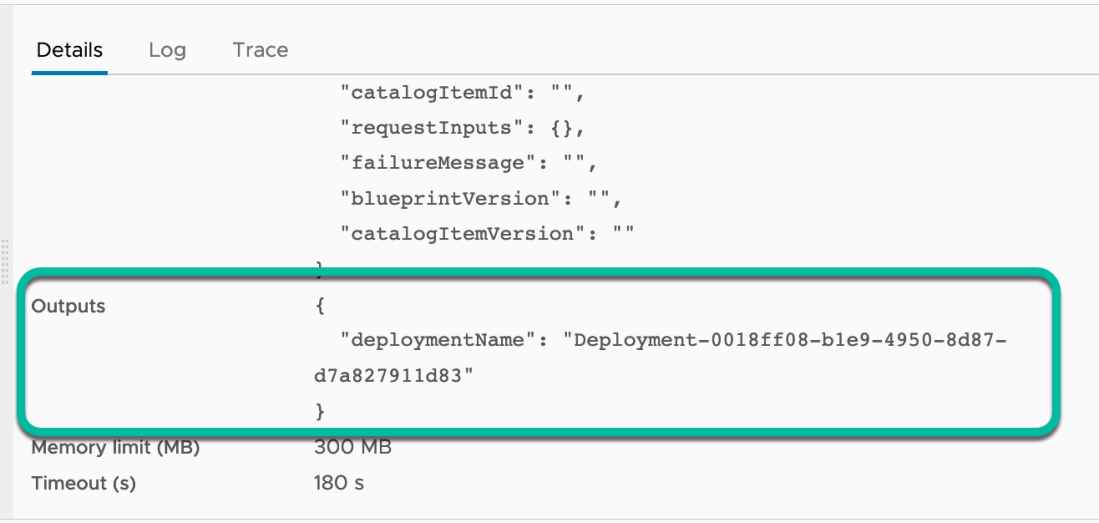
Next request a new deployment, waiting until it completes. Then check the Action Run under Extensibility -> Action Runs. If all went as expected you should see the deployment name in the Details -> Outputs section.

This simple use case allows vRA Cloud ABX to recover and use secure data stored in an AWS SSM Parameter.

See you later.